
Product tour
See swipesign end to end
From a PDF on your desk to a qualified, court-admissible signature — here's the whole flow.
app.swipesign.io · New signature workflow
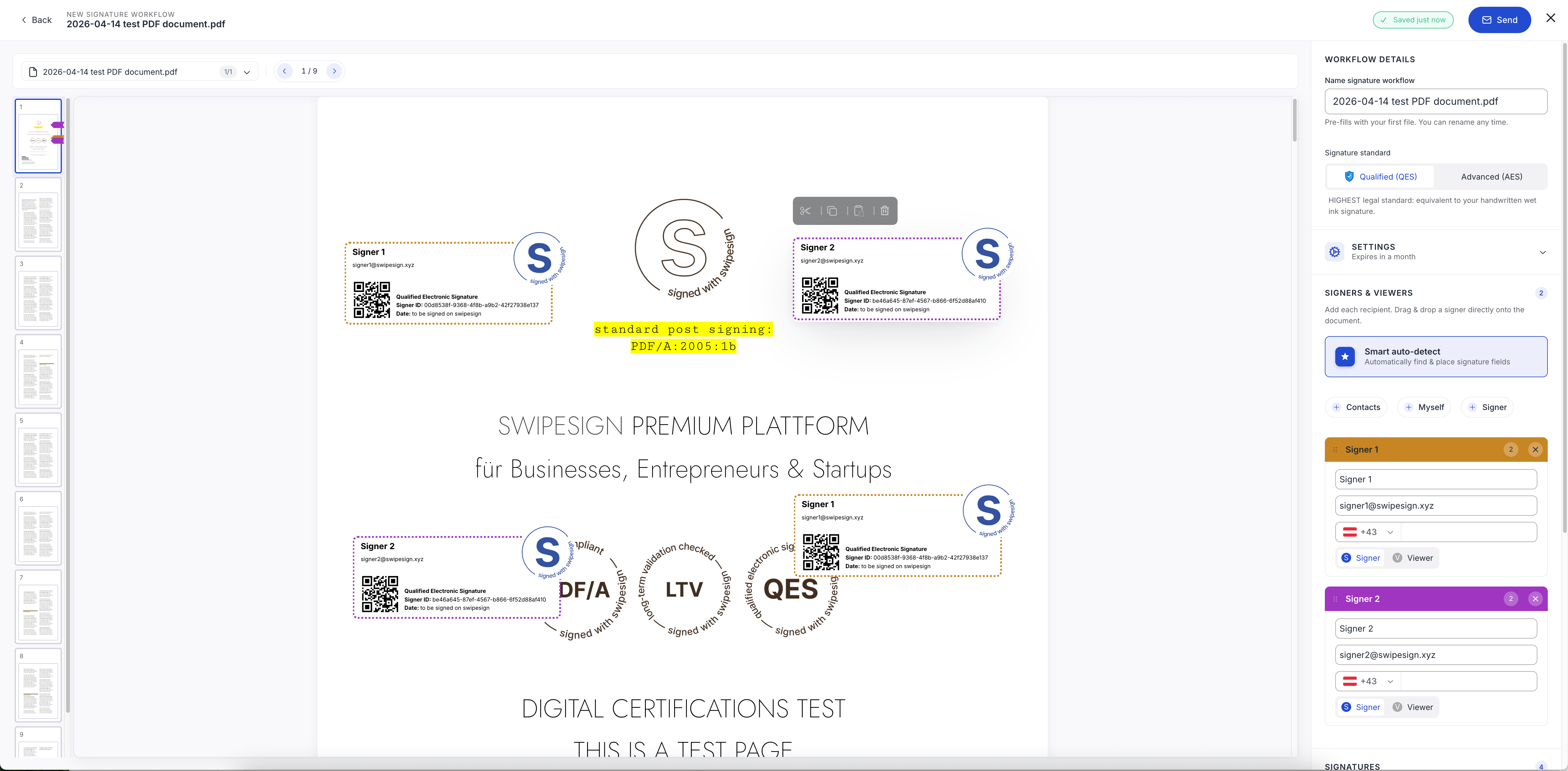
The flow
Three steps, start to finish
01
Upload & prepare
Drop in a PDF or pick a template, then place signature fields where they belong.
02
Invite & verify
Add signers, choose AES or QES, and let guided identity verification handle the rest.
03
Sign & archive
Signers sign with one swipe; you get a sealed PDF/A with a court-admissible audit trail.
What you walk away with
A signature you can defend
Qualified signature
eIDAS 2.0 QES, legally equivalent to a handwritten signature.
Court-admissible record
A complete audit trail and long-term validation, sealed into the file.
Verified signers
Every signer confirmed through certified KYC before signing.
Try the flow yourself
Set up in minutes. Send your first court-admissible signature today.